A smart home does not have to mean an expensive system and dozens of gadgets. Here is which features are genuinely useful, how wired and wireless solutions differ, and why it all starts with a plan.
Building services and smart home
·
A smart home without overspending: where to start
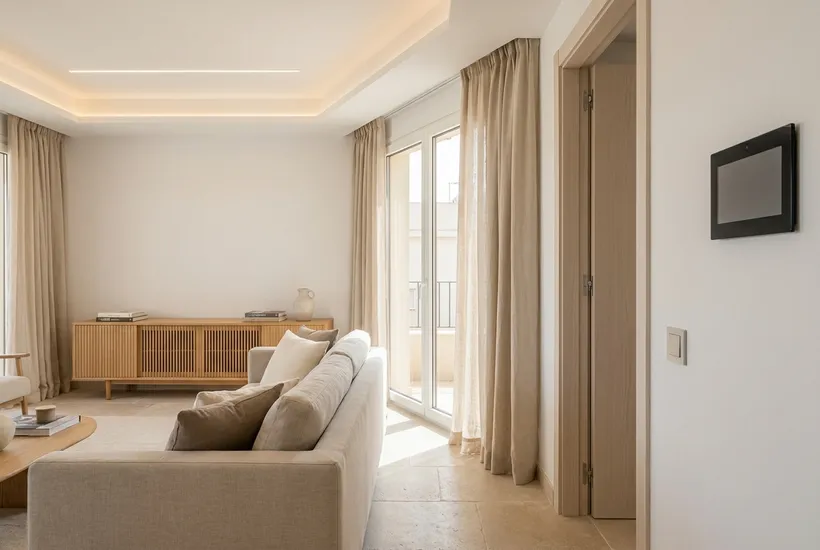
A smart home is often pictured as a collection of expensive devices that obey your voice and impress guests. In practice, the real value comes from a few simple scenarios: lights switch on where you need them, the air conditioning does not run in an empty flat, and you hear about a leak before the water reaches the neighbours below. If you are wondering where to start with a smart home, start there.
Start with problems, not devices
Before buying anything, write down what annoys or worries you at home right now. Do you forget to switch off the lights? Come back to a sweltering flat? Feel uneasy when you are away for a long time? Each answer points to a specific feature. Anything that does not solve a real problem can wait.
Four areas worth starting with
- Lighting: “evening”, “movie” and “night” scenes, motion sensors in the hallway and storeroom, a switch by the bed that turns off every light in the home.
- Climate: scheduled and remote control of the air conditioners, window sensors that pause cooling when a window is open.
- Security: a smart lock or video doorbell, door contact sensors, lights that simulate someone at home while you are away.
- Leak sensors: under the washing machine and dishwasher, by the water heater and under the sinks. Paired with a motorised valve on the main water supply, they shut off the water automatically.
Wired or wireless
Wired systems do not depend on batteries or radio signal quality, and control can be centralised in the consumer unit. But the cables have to be laid before the final finishes, so this option makes sense during a major renovation or a new build. Wireless devices are easier to add to a finished interior and convenient to expand step by step. Their drawbacks are batteries that need replacing and reliance on the home network. A hybrid is also possible: some functions, such as lighting and the water shut-off, wired, everything else wireless. Which approach suits your home is worth discussing with the installer. Examples of neat wiring and consumer units are in the electrical works project gallery.
What to prepare before a renovation
Even if a smart home is not on your list yet, a few decisions at the rough works stage will save money later:
- a neutral wire in the switch back boxes, since many smart switches will not work without it;
- spare space in the consumer unit;
- a cable, or at least a conduit, to the places for future cameras, sensors and Wi-Fi access points;
- sockets where hubs and motorised curtains will go.
Device compatibility: protocol, hub and updates
The “works with smart home” label on the box guarantees nothing. Devices talk over different protocols (Wi-Fi, Zigbee, Z-Wave or Thread, for example), and whether a particular model is supported depends on the hub and the app. Before buying, check:
- which protocol the device uses and whether your hub supports this exact model, not just the protocol in general;
- whether it needs an account and the manufacturer’s cloud service, or can be controlled locally;
- how the manufacturer releases firmware and app updates and how long it promises to support them;
- whether the device could later be replaced with another brand’s model without rebuilding the whole system.
If in doubt, ask an integrator to check compatibility with your hub before you buy the full set. A stable home network is part of the system too: plan coverage and access point locations with a specialist in low-voltage systems and networks.
Test without internet, and manual control
The most useful smart home test takes a few minutes: disconnect the router from the internet and see what keeps working. Then check what happens when the power goes off and comes back.
- Do the lights work from ordinary switches, without a phone or voice assistant?
- Do air conditioner schedules and leak sensors work without the cloud?
- Can the main water valve be opened and closed by hand if the actuator does not respond?
- What state do devices return to when the power comes back?
- Can a guest or a family member without the app use the home normally?
If a basic function depends only on the internet or on a single phone, discuss with the installer how to change that before the work is signed off.
Starter kit and expansion
It helps to split your shopping list into essentials and nice-to-haves. Essentials are what solves the problems on your list and is hard to add later: wiring and space in the consumer unit, network coverage, leak sensors in wet areas, climate control in the rooms you use most. Nice-to-haves such as motorised curtains, elaborate lighting scenes, voice control and multimedia can be added gradually once it is clear what your household actually uses. Ask the installer to describe the system so that it can grow without replacing devices already installed: which hubs and protocols were chosen and how many devices they are designed to handle according to the manufacturer. Ready-made setups in real homes are in the smart home and automation project gallery.
Frequently asked questions
Will a smart home work without the internet?
It depends on the devices and how the system is set up. If control and automations run locally, on a hub or controller in the home, the basic functions keep working without the internet, although remote access and voice assistants are usually unavailable. Devices that can only be controlled through the manufacturer’s cloud may stop responding without a connection. Check this with the test described above before buying the full set.
Can you add smart home features after a renovation?
Yes, but the choice is narrower. In a finished interior people usually fit wireless sensors, smart plugs, air conditioner control and relays behind ordinary switches, provided the back boxes have room and the right wires. Functions that need new cables, such as wired sensors or a motorised valve on the main water supply, may mean chasing walls or surface trunking. An electrician can assess on site what is realistic in your home.
What should you prepare for the electrician before buying smart switches?
A list of the models you are considering, with the requirements from their manuals: whether they need a neutral wire, how deep the back box must be and what load they can handle. The electrician will check what is in your back boxes and consumer unit and advise which models will fit. Leave work in the consumer unit and switch wiring to them rather than doing it yourself.
How not to overpay
Before buying, check that the devices are compatible with each other and with your chosen hub or app: the manufacturer’s description and instructions will say so, and if in doubt, ask the installer. Make sure the basic functions work without the internet: the lights must still switch on if the connection drops. And do not buy everything at once: add devices as you discover what you actually use. If a renovation is coming up, discuss the system early with a specialist in electrical works or an integrator: laying the right lines now is easier than chasing walls later. You can find building services specialists and experts in smart home systems and automation in the Cozy catalog.
Other articles
Air conditioning and ventilation in a hot climate: how to choose well
Air conditioning beats the heat, but without proper ventilation a home still feels stuffy. Here is how to choose a system, where to place the units and how to l...
Building services and smart home